
Blog

How to Choose a Timer Switch for Lights

Choosing a Timer Switch For Lights starts with a simple question: what should the lights do, and when? A porch lamp may need to turn on at dusk, while a hallway light may only need to stay on for ten minutes. The right timer depends on the fixture, wiring, location, and routine. Check whether the switch supports your bulb type and load, including LED lights. Confirm that the installation location is suitable, and consult a qualified electrician if the wiring is unfamiliar. Small details matter. A switch that looks right may not fit the electrical box or your daily schedule.

For an illustrative expert voice, fictional lighting-controls specialist Maya Chen offers this reminder: “Choose the timer around the light’s real job, not just the features on its package.” That means comparing countdown, programmable, and dusk-to-dawn options before buying. Think about power outages, daylight-saving changes, manual override, and whether the controls are easy to use in a dim hallway. A clear display helps. So does a dependable override.

This guide explores the main timer types, compatibility checks, installation considerations, and common selection mistakes. It also recognizes a limitation: no timer can predict every change in household routine. A little adjustment may be needed after installation. The goal is not a perfect schedule on day one, but reliable lighting that suits the space, saves unnecessary effort, and feels straightforward to operate.
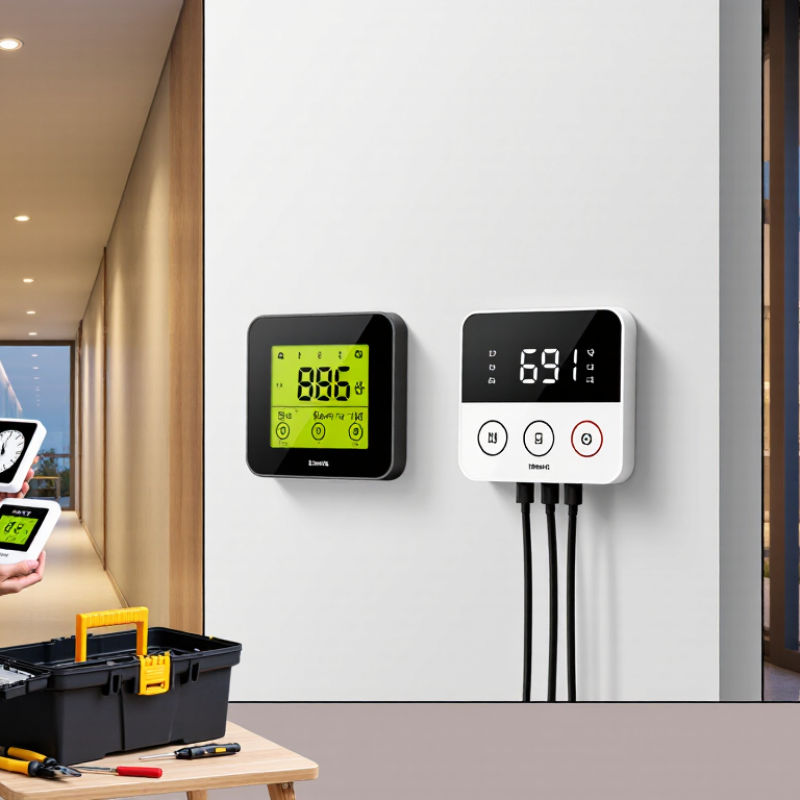
How to Choose a Timer Switch for Lights

Identify the Lighting Load and Scheduling Needs

Before choosing a timer switch, record the lamp type, wattage, and number of lights on the circuit. Six 9-watt LED lamps draw 54 watts in steady operation, but the timer must also be rated for LED or electronic loads. Check its voltage, minimum-load requirement, maximum load, and wiring instructions. A timer rated only for incandescent lighting may flicker or fail with some LED drivers.

Details matter.

Scheduling should follow actual use, not an idealized routine. Note when rooms are occupied, when outdoor paths need light, and whether sunrise or sunset changes the schedule. The U.S. Department of Energy’s Energy Saver guidance reports that LEDs use at least 75% less energy than incandescent bulbs. That efficiency can make timer schedules useful, but savings still depend on how long lights would otherwise stay on.

Short test period. Run the chosen schedule for a week, then check for dark entryways, lights switching on in empty rooms, or a timer that does not behave reliably with the connected load. A neat schedule on paper can miss real life.

Compare Timer Switch Types and Control Features

Choosing a timer switch means matching its control style to the room and routine. A mechanical dial is simple: set the pins and the lights follow a daily schedule. It suits porch lights with steady hours, but offers limited flexibility. Digital switches allow multiple on/off periods and weekday settings. Astronomical models adjust to local sunrise and sunset, which is useful when daylight shifts. Some require correct location and time settings; check these before installation.

For remote control, Wi-Fi models can offer app schedules, manual overrides, and vacation settings. They may depend on a stable network, so a local override matters. The U.S. Department of Energy’s 2017 U.S. Lighting Market Characterization estimated that lighting used 208 terawatt-hours of electricity in 2015. A timer can reduce unnecessary operating hours, but actual savings depend on the schedule and how often lights would otherwise be left on. Control features are not a substitute for checking load ratings or wiring compatibility.

Tips: Match the switch’s rated load to the light, especially with LED lamps. Check whether a neutral wire is required. For a hallway, keep a clear manual override; schedules can be wrong when routines change. I’d choose fewer reliable controls over a crowded app menu. That preference is not universal.

Check Wiring, Voltage, and Electrical Compatibility

How to Choose a Timer Switch for Lights
Check Wiring, Voltage, and Electrical Compatibility

Before buying a timer switch, inspect the existing switch box and identify the circuit voltage. In many North American homes, lighting circuits are 120 volts, but never assume. Turn off the breaker and verify the wires with a suitable tester; a crowded box, unfamiliar wiring, or missing neutral wire can change which models will work. Match the timer’s voltage and wiring requirements to the circuit, and check its rated load against the total connected lights. Small detail, big consequence.

The lamp type matters too. LED bulbs use electronic drivers, which may behave differently from incandescent bulbs with a timer. The U.S. Department of Energy’s 2020 U.S. Lighting Market Characterization reported that LEDs accounted for about 48% of installed lighting in 2020, making LED compatibility an important check. Confirm that the timer explicitly supports LED loads and meets any stated minimum-load requirement; a low-wattage fixture may not trigger every control reliably. Also check whether the timer is rated for the circuit’s amperage and intended use. A rating that looks close is not proof of compatibility. If wiring colors or connections are unclear, have a qualified electrician assess the circuit before installation.

Assess Safety, Durability, and Smart-Home Requirements

A light timer should suit the circuit, not just the wall plate. Check its voltage, load rating, and compatibility with LED bulbs; some LEDs flicker when paired with unsuitable switches. Look for a recognized electrical safety certification and a housing rated for the installation location.

NFPA’s Home Electrical Fires report found that U.S. fire departments responded to an estimated 46,700 home fires involving electrical failure or malfunction each year from 2015 to 2019. That figure is a useful reminder, not a prediction about any single switch. Small detail. Big consequence.

If wiring, grounding, or load limits are unclear, ask a qualified electrician before installing.

For durability, check the rated operating life and whether the switch can handle the bulbs’ startup current, which may exceed their steady load. A timer that clicks reliably in a shop may behave differently with several LED lamps on one circuit.

Smart-home features add another layer: confirm the device works with your hub or voice assistant, and review how it receives software updates. NIST’s IoT cybersecurity guidance, NISTIR 8259A, highlights capabilities such as secure configuration, data protection, and controlled access. I would not treat a Wi-Fi connection as a safety feature.

Consider whether schedules still run during internet or app outages; that detail is easy to overlook, and product instructions do not always make it obvious.

Choose a Timer Switch That Fits Your Budget and Setup

Choose a timer switch around the lights you already have, not just the lowest price. For a table lamp, a plug-in timer is usually inexpensive and needs no wiring. Check that its rated load suits the lamp, especially if several devices share one timer. Small detail, big difference.

A wall-mounted switch can look neater and control ceiling lights directly, but installation may take more time and cost. Before buying, check the switch type, box space, and whether a neutral wire is present. Some models need one; others do not. LED bulbs can also behave differently from older incandescent bulbs, so confirm the timer supports the bulb type and load. If you are unsure about existing wiring, ask a qualified electrician rather than guessing.

Think about how you will use it each day. A basic countdown timer may suit a hallway, while a weekly schedule can help keep porch lights consistent. Extra features can be useful, but they can also raise the price and make setup fiddlier. It is easy to compare prices and overlook compatibility; I would double-check the product specifications before checkout. A few minutes of measuring and checking can prevent a return, though it is not the most exciting part of the project.

How to Choose a Timer Switch for Lights

Compare approximate device-only retail price ranges to find a timer type that fits your budget and setup. Prices vary by features and retailer.

Quick guide: Mechanical timers are a budget-friendly choice for simple schedules. Digital models offer more flexible programming; astronomical timers can follow local sunrise and sunset; smart timers are useful for app-based control. Before buying, check the timer’s wiring requirements, electrical rating, and compatibility with your lights.