
 24 Hour Service
- 800.825.3222
- Now Hiring
- Request A Quote
What Is the Best NFC Smart Door Lock in 2026?
Choosing the best NFC Smart Door Lock in 2026 is about more than tapping a phone against a reader. The right lock should respond quickly, secure the door reliably, and fit the way people actually enter their homes. A key detail is compatibility: NFC support can vary by phone, card, region, and lock model. Check the manufacturer’s requirements before buying.
Small details matter. Can you unlock the door with a card when your phone battery is dead? Does the lock provide a clear low-battery warning? How are access codes and digital credentials managed? This guide compares practical features, including installation, app controls, backup entry, security information, and ongoing costs. It also considers whether the lock works with your existing door and smart-home setup.
Convenience is not the whole story. Look for transparent product documentation, regular software support, and a straightforward way to manage access. No single model suits every household, and published specifications cannot reveal every installation issue. That uncertainty deserves attention. A lock that performs well on a showroom door may feel different on an older one. The recommendations ahead aim to help you weigh those trade-offs and choose an NFC Smart Door Lock that feels dependable in daily use—not just impressive on a feature list.
What NFC Smart Door Locks Are and How They Work
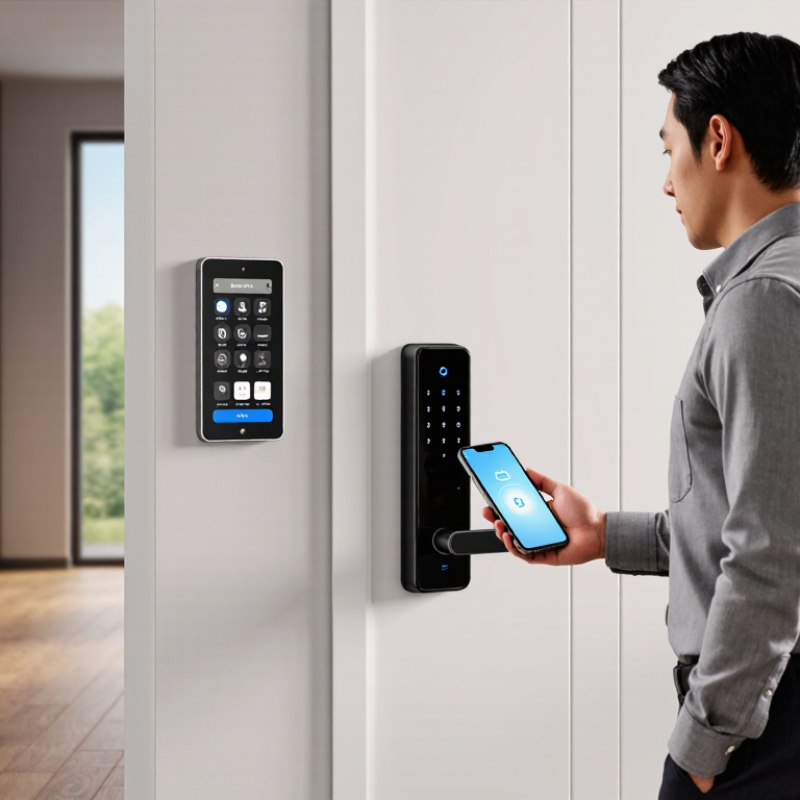
An NFC smart door lock uses near-field communication to read a credential held close to its reader. That credential might be a compatible phone, a card, or a small key fob. NFC works over a very short distance, usually a few centimeters, so opening the door means bringing the credential near the lock. A quick tap at the porch is the basic interaction. The reader and credential exchange data, and the lock checks whether access is authorized. Depending on the design, this check happens inside the lock or through a connected system.
The credential is not simply a visible copy of a key. Many systems use protected digital credentials, though security depends on the lock’s implementation, setup, and updates. NFC also does not guarantee that every phone will work; compatibility and phone settings matter. The weak point may be ordinary: a depleted battery, a poorly enrolled user, or a reader that is awkward to reach with gloves on. Check whether the lock offers a dependable backup method, such as a keypad or physical key, and learn how access can be removed if a phone is lost. That detail is easy to overlook. A lock’s access history can also reveal who entered and when, so consider who can view those records and how long they are retained.
What Is the Best NFC Smart Door Lock in 2026? — What NFC Smart Door Locks Are and How They Work
| Access Method | How It Works | Key Benefits | Things to Check | Best Suited For |
|---|---|---|---|---|
| NFC card | A card is held close to the reader. The lock and card exchange data over a short-range radio connection, commonly at 13.56 MHz. | Simple to carry, quick to present, and does not require a phone or card battery in many passive-card systems. | Ask whether lost cards can be disabled individually and whether the system uses secure cryptographic authentication. | Households, offices, or rentals that need straightforward access cards. |
| NFC key fob | A small fob presents an NFC credential to the lock’s reader in much the same way as an access card. | Compact and convenient to attach to a key ring; passive fobs generally do not need their own battery. | Fobs can be misplaced. Check how credentials are added, removed, and managed. | People who prefer a small physical credential over a card or phone. |
| Compatible smartphone | A supported phone presents a digital credential using NFC. The lock must support the phone’s credential system; NFC capability alone does not guarantee compatibility. | Can reduce the need to carry a separate card and may allow digital credential management. | Confirm supported phone models, operating-system requirements, setup needs, and what access options remain if the phone is lost or unavailable. | Users who want phone-based entry and whose devices are explicitly supported by the lock. |
| Compatible wearable | A supported wearable presents a digital NFC credential to a compatible lock reader. | Convenient when carrying a phone or card is impractical. | Support depends on the lock, wearable, and credential platform. Verify compatibility before purchase. | Users who want hands-free-to-carry access, such as during exercise or daily routines. |
| Keypad or mechanical key backup | A keypad accepts a PIN, or a mechanical cylinder accepts a physical key. These are separate access methods that can complement NFC. | Provides an alternative when an NFC credential is unavailable, unsupported, or out of power. | Check whether the backup method is included, how PINs are managed, and how the lock behaves when its batteries run low. | Anyone who wants a backup entry method alongside NFC access. |
| Lock power and NFC range | The lock typically uses its own batteries or another power source. A passive card or fob can draw the small amount of power needed for communication from the reader’s radio field. | NFC generally requires the credential to be held very close to the reader, helping make access an intentional tap rather than a long-range connection. | NFC range is short—usually a few centimeters, depending on the devices and conditions. Check battery alerts and emergency power or key options. | Buyers comparing everyday usability, power planning, and backup access. |
How to choose: There is no single best NFC lock for every user. Prioritize verified credential compatibility, strong authentication, easy credential revocation, reliable low-battery alerts, and a practical backup entry method. NFC describes a short-range communication technology; the lock’s security and features depend on how its credential system is implemented.