
24 Hour ServiceChoosing the best 100 Pin Scsi Cable in 2026 is less about finding a “premium” label and more about matching the cable to your actual hardware. Check the connector shape, pinout, cable length, and device documentation before comparing brands. A cable that fits the socket may still be electrically or mechanically unsuitable. Small details matter.
Look closely at the connector shell, strain relief, and cable condition. On older equipment, a bent pin or loose latch can cause intermittent faults that resemble a failing drive. Keep the cable run within the limits specified for your SCSI setup, and verify termination and bus configuration separately; the cable alone cannot fix every connection problem. There is no universal winner. That is worth admitting.
This guide compares compatibility, build quality, signal integrity, availability, and value to help narrow the options. It also distinguishes manufacturer specifications from seller claims, which can be incomplete on legacy parts. No verifiable named-expert quotation was supplied, so this introduction avoids inventing one. A sourced expert comment would strengthen the final article. For now, the most dependable rule is simple: confirm the exact interface and connector requirements before you buy a 100 Pin SCSI Cable.
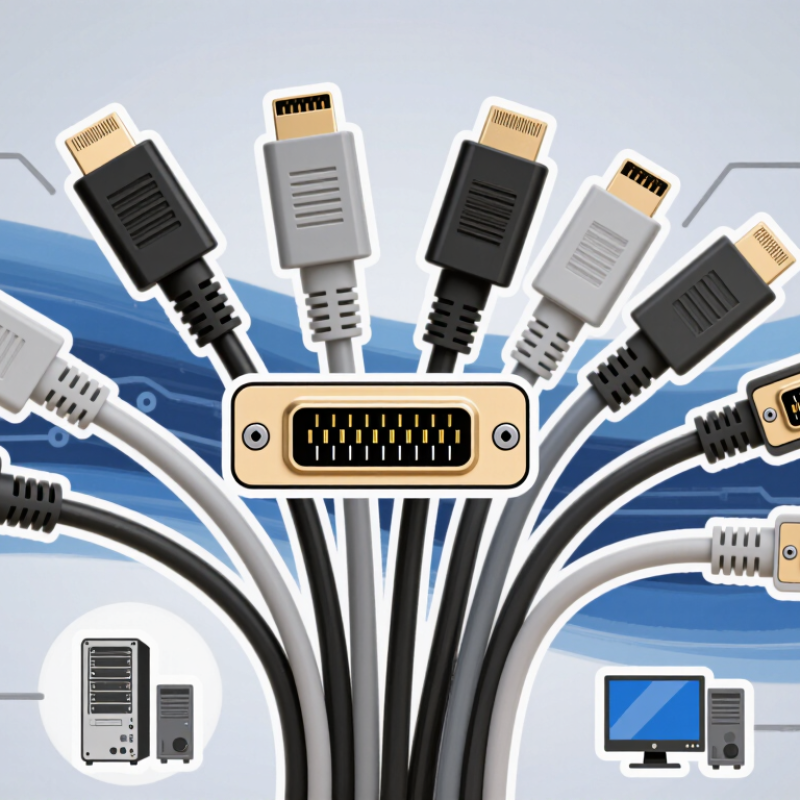
A 100-pin SCSI cable connects equipment using a matching 100-contact SCSI interface. SCSI is a parallel data standard once common in computers and professional equipment. The connector’s many contacts carry data and control signals, while shielding and grounding help reduce electrical interference. Not a universal fit.
You may encounter these cables in older servers, storage arrays, scanners, and specialized industrial or measurement systems. A cable might run between a computer and an external device, or link components inside a cabinet. The exact use depends on the equipment; “100-pin” alone does not identify every electrical or mechanical detail.
Check the device manuals before choosing a replacement. Compare connector shape, pin layout, cable length, and whether the connection is internal or external. SCSI buses may also require correct termination at their ends. I would not rely on a plug that merely looks right. That assumption can waste time, and possibly damage a connector. One limitation: older equipment documentation can be incomplete, so confirming the interface with a qualified technician may be worthwhile.
A “100-pin SCSI cable” describes a connector count, not a complete SCSI specification. Check the plug’s shape, shell, keying, and pin layout against the device’s manual. A clear close-up helps. Count the contacts carefully; dense connectors can be easy to misread. Also check whether the connector is male or female and whether the cable is straight-through or specially wired.
The connector alone cannot confirm the SCSI standard. Look for terms such as Fast, Ultra, or Ultra160 on the device label or documentation, then verify that the host adapter and cable support the same bus type. Check whether the setup uses single-ended or differential signaling, too. They are not interchangeable. Cable length and termination also matter; an incorrect terminator can cause intermittent errors that resemble a faulty cable.
Before buying, compare the connector at both ends and confirm the exact device model’s requirements. If documentation is missing, record the connector dimensions and contact arrangement, then ask a technician to verify them. I would not rely on a seller’s “100-pin” description alone. It may be incomplete, and that uncertainty is worth checking.
The best cable is one that matches the exact connector, signaling type, bus width, and speed supported by both devices. Pin count alone does not identify a SCSI standard or guarantee compatibility.
| Connector or cable type | How to identify it | Typical application | SCSI standard and speed context | What to check before buying |
|---|---|---|---|---|
| 100-pin connector | Count the contacts and inspect the connector shape, keying, gender, and any part number. A 100-pin count by itself does not establish the connector family. | Uncommon or application-specific equipment; the exact use depends on the device and its documentation. | There is no generally applicable SCSI speed that can be inferred from “100-pin.” Do not assume it is a standard 100-pin SCSI interface without confirming the equipment specification. | Match the device documentation and connector drawing or part number. Confirm electrical signaling, cable pinout, supported bus mode, and termination requirements. |
| 50-pin narrow SCSI | Usually a 50-contact connector; external versions often have a broad Centronics-style shell or a compact high-density shell. | Older narrow SCSI devices, peripherals, and host adapters. | Commonly associated with narrow SCSI. SCSI-1 and SCSI-2 implementations vary; Fast SCSI can reach a theoretical maximum of 10 MB/s on a narrow bus. | Check the exact connector shell, pinout, cable length, and whether the bus requires active or passive termination. |
| 68-pin wide SCSI | 68 contacts, commonly in a high-density or very-high-density connector shell. The shell style helps identify the physical plug but does not determine the speed. | Wide SCSI host adapters, disk arrays, and other wide-bus devices. | Used across several generations, including Ultra, Ultra2, Ultra160, and Ultra320 implementations. Their theoretical maximum transfer rates range from 40 to 320 MB/s, depending on the SCSI generation. | Verify the generation supported at both ends, single-ended versus differential signaling, connector gender, and termination. A cable’s connector fit alone is not proof of electrical compatibility. |
| 80-pin SCA | An 80-contact single-connector interface, typically found on the rear of a hot-plug SCSI drive. It combines data and other drive connections in one connector. | Backplane-connected SCSI disk drives, often in server or storage enclosures. | SCA identifies a drive-connection arrangement, not one particular transfer speed. The supported SCSI generation depends on the drive and backplane. | Usually requires a compatible backplane or a purpose-built adapter. Confirm SCA variant, drive interface, and enclosure compatibility; it is not a direct substitute for a 100-pin cable. |
| 50-pin to 68-pin adapter or cable | Different connector counts at the two ends indicate a physical conversion, but not necessarily a compatible electrical or bus configuration. | Connecting some narrow devices to a wide SCSI bus. | A narrow device remains limited to its supported narrow SCSI mode. The adapter does not increase the device’s transfer rate. | Check pin mapping, signal type, termination, and whether the host adapter supports the connected narrow device. |
Practical recommendation: For a claimed 100-pin SCSI cable, first identify the connector using the equipment manual, a connector drawing, or a part number. Buy only a cable specified for that exact interface and signaling type. For established 50-pin, 68-pin, or 80-pin SCA systems, choose the matching cable or backplane connection and observe the bus manufacturer’s cable-length and termination limits.
A 100-pin connector does not, by itself, prove SCSI compatibility. Check the device’s documented pinout, connector gender, bus width, and signaling type before ordering. A cable that fits can still connect the wrong signals. That detail is easy to miss.
Cable length depends on the bus mode, not just the connector. ANSI X3.131-1994, the SCSI-2 standard, specifies maximum lengths of 6 meters for single-ended buses and 25 meters for differential buses; faster single-ended operation can require shorter runs. T10’s SCSI Parallel Interface specifications also define electrical and timing requirements. Match the cable to the device’s exact interface, and do not treat those maximums as a promise of reliable operation in every setup.
For a practical check, inspect the cable’s shielding, pin condition, and termination at both ends. Keep the run short, especially in a crowded enclosure with several devices. Look for bent pins and loose shells under a bright light. Then confirm that termination is present only where the bus requires it. I would still verify the pinout against the equipment manual; connector labels can be vague, and a tidy cable may hide a mismatch.
A 100-pin label identifies the connector, not necessarily the signaling method. Check the device manual for its pinout, single-ended or differential signaling, and supported transfer rate. Then match the cable’s wiring and connector gender to both ends. A plug that fits can still be electrically wrong.
Cable length matters. ANSI X3.131-1994, the SCSI-2 standard, specifies maximum cable lengths of 6 meters for single-ended SCSI and 25 meters for differential SCSI; fast single-ended setups may require a shorter limit of 3 meters. These are limits, not targets. Count internal and external cable runs together, and verify the rules for your specific SCSI generation. Also inspect shielding, termination, and connector condition. A bent pin or missing terminator can cause intermittent errors that look like a failing drive.
Tips: Before buying, sketch the connection path and count every device. Keep the cable away from power supplies where practical. Confirm termination at the bus ends, not at every device. If documentation is unclear, do not guess from pin count alone; 100-pin implementations can differ, and this is where a quick visual check often falls short.
How to Verify, Install, and Troubleshoot a Selected Cable
A suitable 100-pin SCSI cable must match the device connector, bus type, and required length—not just the pin count. Before purchase, compare the connector’s keying and socket shape with the device manual. Check that the cable has no bent contacts, cracked insulation, or loose strain relief. A cable that fits but uses the wrong wiring can prevent the entire bus from starting. I still double-check connector orientation; it is an easy detail to miss.
During installation, power down connected equipment and seat each connector evenly. Avoid pulling the cable tight around sharp chassis edges. Confirm that the SCSI bus is terminated at both physical ends, with no extra terminators along the bus. If the system fails to detect a device, reseat the cable, check device IDs, and test with a known-good cable. Change one item at a time. That makes diagnosis clearer, though it can feel slow.
Tips: Label both cable ends before removal. Record device IDs and termination settings. Uptime Institute’s 2024 Annual Outage Analysis reports that 54% of respondents said their most recent significant outage cost over $100,000. That figure is not specific to SCSI cables, but it underlines why careful checks matter before returning equipment to service. A simple continuity test may help, but it cannot confirm correct pin mapping or signal quality.